
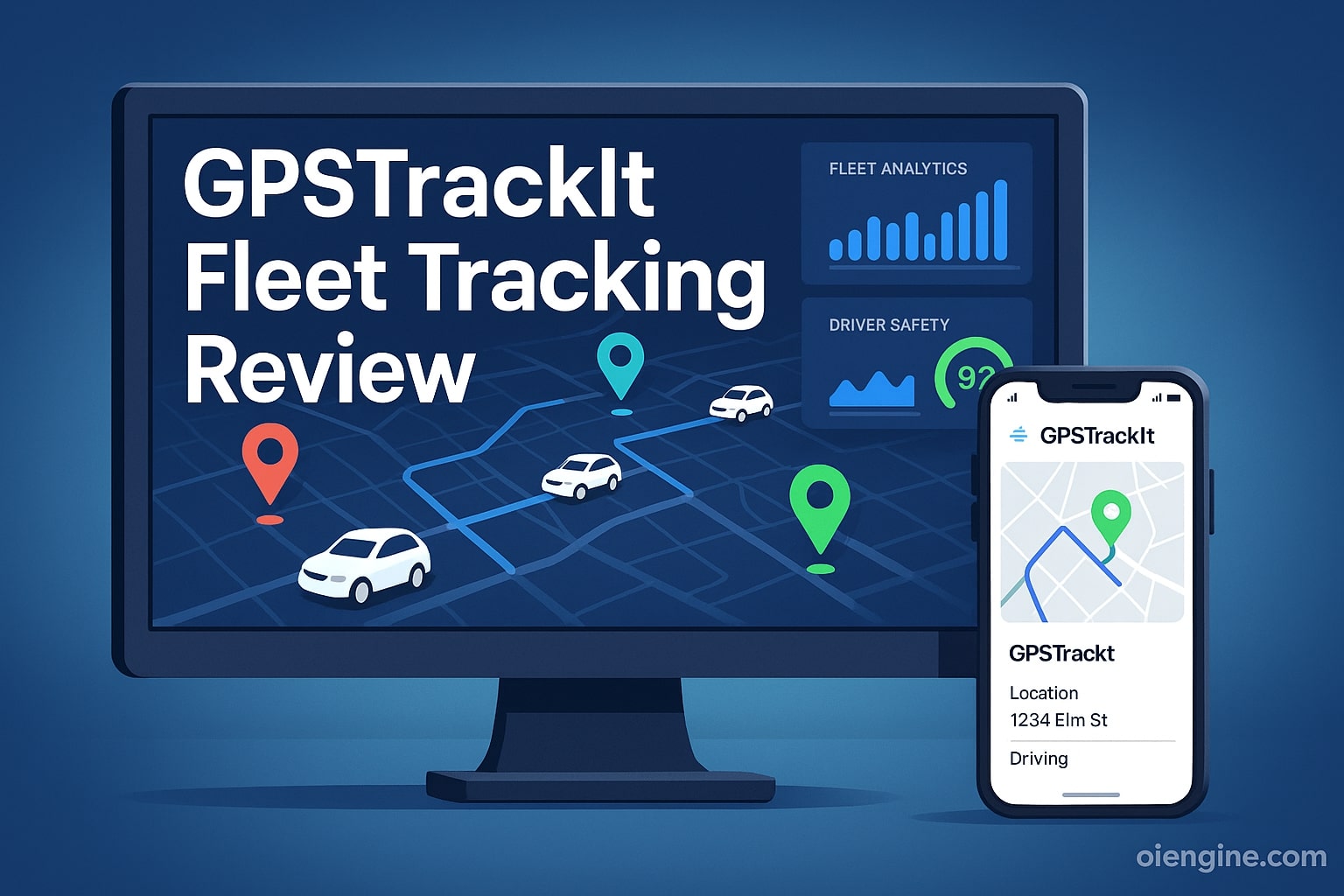
Managing a fleet without proper tracking is like navigating blind in 2026‘s competitive business landscape. GPSTrackIt emerges as a compelling solution, offering competitive pricing from $24.99 per vehicle monthly with standout video telematics capabilities that rival more expensive alternatives.
This comprehensive review analyzes GPSTrackIt’s features, pricing, and real-world performance based on verified user data. With an A+ Better Business Bureau rating and 4.5/5 stars on Trustpilot, GPSTrackIt has helped businesses achieve an average 38% improvement in customer service times.
You’ll discover everything from the GPS track it log in process to advanced fleet management features. We’ll cover pricing structures, hardware options, customer service quality, and how GPSTrackIt compares to major competitors in the fleet tracking industry.
Table of Contents
- What is GPSTrackIt? Company Overview and Background
- GPSTrackIt Login: Complete Access Guide
- GPSTrackIt Pricing Plans Breakdown (2026 Rates)
- Core GPS Fleet Tracking Features
- Video Telematics: GPSTrackIt’s Standout Feature
- GPS Tracking Log and Reporting Systems
- GPSTrackIt Fleet Manager Dashboard Review
- Hardware Options and Installation
- GPSTrackIt Customer Service Analysis
- Integration Capabilities and Add-Ons
What is GPSTrackIt? Company Overview and Background
GPSTrackIt stands as an award-winning leader in cloud-based fleet and asset management solutions. The company serves thousands of businesses across the United States and Latin America, providing GPS fleet tracking technology that transforms how companies manage their mobile assets.
GPSTrackIt Company History and Credentials
Founded with a mission to simplify fleet management, GPSTrackIt has evolved from a basic tracking provider to a comprehensive fleet solution platform. The company maintains headquarters in Roswell, Georgia, where they develop cutting-edge tracking technologies.
Their commitment to innovation has earned them recognition on the Inc. 5000 list. Business News Daily named them among the Best GPS Fleet Tracking Services, while Business.com awarded them Best Value for GPS Fleet Tracking Services.
InTouch GPS Integration and Brand Family
GPSTrackIt operates as part of a larger family of tracking brands. The company encompasses both InTouch GPS and TSO Mobile under its umbrella, expanding service capabilities across different market segments.
This integration allows customers to access varied tracking solutions through a single provider. Whether you need basic gps tracker log in capabilities or advanced fleet management tools, the unified platform delivers consistent performance.
Awards and Industry Recognition (2026 Update)
Recent accolades position GPSTrackIt as an industry leader in 2026. Digital Journal recognized them among Top Companies of Fleet Management Technology, validating their technological advancement and customer satisfaction.
The company maintains an A+ Better Business Bureau rating despite not being accredited. This rating, combined with strong customer reviews, demonstrates their commitment to service excellence and ethical business practices.
GPSTrackIt Login: Complete Access Guide
Accessing your fleet data starts with understanding the trackit gps log in process. GPSTrackIt designed their login system for maximum security while maintaining user convenience across devices.
GPS Track It Log In Process Step-by-Step
The standard login process begins at the GPSTrackIt portal homepage. Users enter their assigned username and password, with optional two-factor authentication available for enhanced security.
First-time users receive credentials via email after account activation. The system supports single sign-on (SSO) for enterprise clients, streamlining access for large organizations with multiple users.
Password requirements include minimum eight characters with mixed case and numbers. The platform automatically prompts password updates every 90 days to maintain security standards.
TracKit GPS Log In Troubleshooting
Common login issues often stem from browser compatibility or cached data. GPSTrackIt recommends using Chrome, Firefox, or Safari updated to their latest versions for optimal performance.
If you encounter “Invalid Credentials” errors, verify caps lock is off and try the password reset function. The system sends reset links within minutes to your registered email address.
For persistent access problems, clearing browser cache and cookies typically resolves issues. Contact gps trackit customer service at (866) 320-5810 for immediate assistance with account lockouts.
GPS Tracker Log In Security Features
GPSTrackIt implements bank-level encryption for all login sessions. The platform uses SSL certificates and encrypted data transmission to protect sensitive fleet information.
Automatic session timeouts occur after 30 minutes of inactivity. This feature prevents unauthorized access if users forget to log out from shared computers.
Administrators can set IP restrictions and manage user permissions granularly. These controls ensure employees only access data relevant to their roles within your organization.
InTouch GPS Tracking Log In Alternative Access
Mobile app users can utilize biometric authentication for quicker access. The intouch gps tracking log in supports both fingerprint and facial recognition on compatible devices.
The GPSTrackIt Cloud app provides full functionality for iOS and Android platforms. Download directly from official app stores to ensure you’re using the legitimate application.
API access allows integration with third-party systems without traditional login. This feature benefits businesses needing automated data synchronization with existing management software.
GPSTrackIt Pricing Plans Breakdown (2026 Rates)
Understanding GPSTrackIt’s pricing structure helps businesses budget effectively for fleet management needs. The company offers flexible plans accommodating operations from single vehicles to large fleets.
Month-to-Month vs Contract Pricing Comparison
GPSTrackIt’s pricing rewards longer commitments with significant savings:
| Contract Length | Monthly Cost per Vehicle | Annual Savings vs Month-to-Month |
| Month-to-Month | $39.99 | – |
| 12 Months | $34.99 | $60 |
| 24 Months | $29.99 | $120 |
| 36 Months | $24.99 | $180 |
These rates include basic GPS fleet tracking features and hardware. No minimum vehicle requirements exist, making GPSTrackIt accessible for small businesses.
Hardware Costs and Lifetime Warranty Details
All subscription plans include free hardware with a refundable deposit. The lifetime warranty covers manufacturing defects and normal wear, excluding physical damage or tampering.
Hardware shipping costs a flat $19 regardless of order size. Professional installation services are available but not required, as most devices support plug-and-play setup.
Replacement devices ship within 24 hours for warranty claims. This rapid response minimizes fleet downtime and maintains operational continuity.
Hidden Fees and Additional Charges Analysis
GPSTrackIt maintains transparent pricing with minimal hidden costs. The primary additional expense involves add-on features like advanced dashcams or ELD compliance modules.
Cancellation fees don’t apply for month-to-month plans. Contract customers can terminate early by paying remaining monthly fees or returning hardware in good condition.
Data overage charges rarely apply since plans include generous usage limits. International tracking incurs roaming fees based on carrier rates in specific countries.
30-Day Money-Back Guarantee Terms
New customers can test GPSTrackIt risk-free for 30 days. The guarantee covers all subscription fees if you’re unsatisfied with service quality or features.
To qualify, return hardware in original condition within the trial period. Refunds process within 7-10 business days after equipment receipt.
The guarantee excludes shipping costs and any professional installation fees. Custom configurations or enterprise setups may have modified trial terms.
Core GPS Fleet Tracking Features
GPSTrackIt delivers comprehensive tracking capabilities that form the foundation of effective fleet management. These features provide real-time visibility and historical insights for informed decision-making.
Real-Time Vehicle Tracking (60-Second Updates)
The platform updates vehicle locations every 60 seconds, providing near real-time positioning data. While slower than some competitors’ 30-second intervals, this frequency suffices for most fleet operations.
Google Maps integration ensures accurate mapping with familiar interfaces. The system displays vehicle icons with directional indicators, making it easy to visualize fleet movements at a glance.
Speed data accompanies location updates, allowing immediate identification of speeding violations. Color-coded indicators highlight vehicles exceeding preset thresholds or posted limits.
Geofencing and Landmark Management
Geofencing capabilities enable virtual boundary creation around specific locations. Set up alerts when vehicles enter or exit designated areas like customer sites, restricted zones, or home bases.
The landmark feature simplifies reporting by replacing coordinates with recognizable location names. Create unlimited landmarks for frequent destinations, improving report readability and driver communication.
One limitation involves geofence editing—once created, boundaries cannot be modified. Plan geofence parameters carefully or delete and recreate when adjustments become necessary.
Route History and Breadcrumb Trails
Historical route data displays as breadcrumb trails on interactive maps. This gps tracking log feature helps verify driver routes, investigate customer complaints, and optimize future routing.
The system color-codes trails by speed, instantly revealing where drivers exceeded limits. Time stamps at regular intervals provide precise arrival and departure information for each stop.
Route replay functionality animates vehicle movements for specified timeframes. This visual representation aids in driver coaching and incident investigation.
18-Month Data Storage Capabilities
GPSTrackIt stores comprehensive fleet data for 18 months, exceeding many competitors’ 12-month limits. This extended retention supports long-term trend analysis and compliance requirements.
Historical data includes locations, speeds, stops, idle times, and all generated alerts. Export capabilities allow data backup for permanent record keeping beyond platform limits.
The extended storage particularly benefits companies needing detailed records for insurance claims, legal matters, or customer disputes. Access remains instant regardless of data age within the retention period.
Video Telematics: GPSTrackIt’s Standout Feature
Video telematics represents GPSTrackIt’s premier differentiator in the competitive fleet tracking market. Their investment in advanced camera technology delivers capabilities typically found in premium-priced solutions.
VidFleet AI+ Advanced Driver Monitoring
The VidFleet AI+ system uses artificial intelligence to monitor driver behavior continuously. Built-in sensors detect critical safety violations without constant human supervision.
Eye-tracking technology identifies drowsiness and distraction patterns before accidents occur. The system issues real-time audio alerts to drivers, promoting immediate corrective action.
AI accuracy improves over time by learning individual driver patterns. This adaptive technology reduces false alerts while maintaining high sensitivity to genuine safety risks.
4-Camera HD Streaming Technology
GPSTrackIt’s unique multi-channel splitter supports simultaneous streaming from four HD cameras. This comprehensive coverage eliminates blind spots around commercial vehicles.
Standard configurations include forward-facing, driver-facing, and side cameras. Add rear cameras for complete 360-degree visibility during backing maneuvers or cargo monitoring.
HD quality ensures clear footage for insurance investigations and driver coaching. Night vision capabilities maintain video quality in low-light conditions.
AI Detection Features (Drowsiness, Phone Use, Smoking)
The AI system recognizes specific dangerous behaviors with high accuracy:
- Cell phone use: Detects handheld devices near the driver’s ear or in texting positions
- Drowsiness: Monitors eye closure patterns and head nodding movements
- Smoking: Identifies cigarette smoking that violates company policies
- Seatbelt compliance: Verifies proper seatbelt usage throughout trips
- Following distance: Alerts for tailgating and unsafe following intervals
Real-time alerts allow immediate intervention before incidents occur. The system logs all detections for later review and driver coaching sessions.
Video Evidence for Insurance Claims
High-quality video evidence can reduce insurance costs and accelerate claim resolution. One customer reported a 10% insurance renewal reduction after implementing GPSTrackIt’s cameras.
The system automatically saves footage when detecting harsh events or collisions. Cloud storage ensures evidence remains secure and tamper-proof for legal proceedings.
Video access includes easy sharing capabilities for insurance companies and law enforcement. Download options provide local copies for long-term storage beyond platform retention limits.
GPS Tracking Log and Reporting Systems
Robust reporting transforms raw tracking data into actionable business intelligence. GPSTrackIt’s gps trackit fleet manager includes extensive customization options surpassing basic tracking platforms.
Customizable Report Builder
Create reports tailored to specific business needs without technical expertise. The drag-and-drop interface allows selection of data fields, filters, and grouping options.
Save custom report templates for recurring use across your organization. Share templates with team members to ensure consistent reporting standards.
Advanced filters enable data segmentation by driver, vehicle, date range, or location. Combine multiple criteria to extract precisely the insights your business requires.
Automated Report Scheduling
Schedule reports for automatic generation and distribution at preferred intervals. Daily, weekly, or monthly options accommodate various management review cycles.
Email delivery sends reports directly to stakeholders’ inboxes. Multiple recipients ensure all relevant team members receive timely fleet performance updates.
Format options include PDF, Excel, and CSV for compatibility with other business analysis tools. Integration with existing workflows requires minimal adjustment.
Driver Scorecards and Safety Analytics
Comprehensive scorecards rate drivers on multiple safety parameters. Color-coded scoring (green/yellow/red) provides instant performance assessment.
Metrics tracked include:
- Speeding frequency and severity
- Harsh braking incidents
- Rapid acceleration events
- Idle time percentages
- Seatbelt compliance rates
Trending reports show improvement or degradation over time. Use these insights for targeted training and recognition programs.
Fuel Management and IFTA Reports
State-by-state mileage breakdowns simplify IFTA compliance reporting. Automated calculations reduce manual effort and potential errors in fuel tax submissions.
Fuel card integration with Wex and ProMiles provides comprehensive consumption tracking. Match fuel purchases with vehicle locations to detect potential fraud.
Idle time reports identify excessive fuel waste from unnecessary engine running. Address these behaviors to achieve measurable fuel cost reductions.
GPSTrackIt Fleet Manager Dashboard Review
The dashboard serves as your fleet management command center. GPSTrackIt balances comprehensive functionality with intuitive design for efficient operations monitoring.
User Interface and Navigation
Clean layout design prioritizes essential information without overwhelming users. The left navigation bar remains static across all pages, ensuring consistent access to key features.
Customizable widgets let managers arrange dashboard elements according to preferences. Drag-and-drop functionality simplifies personalization without technical knowledge requirements.
Tab-based organization within sections reduces clicking between related features. This design particularly benefits reporting functions where multiple report types require frequent access.
Mobile App vs Desktop Experience
The GPSTrackIt Cloud app delivers full functionality on smartphones and tablets. While desktop versions excel for detailed analysis, mobile apps enable field management.
Mobile interfaces optimize for smaller screens without sacrificing features. Touch-friendly controls and simplified menus maintain usability during vehicle operation.
Biometric login options enhance mobile security and convenience. Sync between devices ensures consistent data regardless of access method.
Alert Customization Options
Configure alerts for virtually any fleet event or threshold violation. The gps trackit customer service team assists with initial alert setup during onboarding.
Alert types include:
- Speed violations (custom thresholds or posted limits)
- Geofence breaches (entry/exit notifications)
- Maintenance reminders (mileage or time-based)
- Idle time excess (customizable duration)
- After-hours usage (scheduled restrictions)
Delivery methods encompass email, SMS, and in-app notifications. Set different recipients for various alert types based on organizational responsibilities.
Real-Time Dashboard Widgets
Pre-built widgets display critical metrics at a glance. Common configurations show vehicle locations, active alerts, and driver status summaries.
Create custom graphs tracking KPIs specific to your operation. Historical trending helps identify patterns requiring management attention.
Offline device widgets highlight connectivity issues immediately. This proactive monitoring prevents data gaps from equipment malfunctions.
Hardware Options and Installation
GPSTrackIt offers diverse hardware solutions accommodating various fleet types and tracking requirements. Understanding options helps select appropriate devices for your specific needs.
Plug-and-Play vs Hardwired Devices
Plug-and-play OBD-II devices install in minutes without tools. Simply connect to the diagnostic port found in most vehicles manufactured after 1996.
Hardwired options provide enhanced security and compatibility with older vehicles. Professional installation typically takes 30-60 minutes per vehicle.
Consider plug-and-play for:
- Leased vehicles
- Frequent vehicle turnover
- Quick deployment needs
- Limited technical expertise
Choose hardwired for:
- Permanent fleet vehicles
- High-theft risk situations
- Older vehicle compatibility
- Covert installation requirements
Dashcam Models Comparison (VidFleet AI+ vs One)
| Feature | VidFleet AI+ | VidFleet One |
| AI Driver Monitoring | Yes | No |
| Camera Views | Up to 4 | Up to 2 |
| Night Vision | Enhanced | Standard |
| Eye Tracking | Yes | No |
| Monthly Cost | $44.99-$59.99 | $39.99-$54.99 |
Both models include cloud storage and event-triggered recording. The AI+ justifies higher costs through advanced safety features and comprehensive monitoring.
Asset and Trailer Tracking Hardware
Dedicated asset trackers monitor unpowered equipment and valuable cargo. Battery-powered units provide location updates for trailers, containers, and construction equipment.
Solar charging options extend battery life for long-term deployments. Weatherproof designs withstand harsh environmental conditions.
Temperature sensors add monitoring capabilities for refrigerated cargo. Set alerts for temperature excursions protecting sensitive shipments.
DIY Installation vs Professional Setup
Most customers successfully complete DIY installation following provided guides. Video tutorials and gps trackit customer service support assist with questions.
Professional installation ensures optimal placement and connection security. Certified technicians typically complete multiple vehicles within half a day.
Free installation promotions occasionally reduce setup costs. Consider professional installation for large fleet deployments or complex configurations.
GPSTrackIt Customer Service Analysis
Exceptional support distinguishes GPSTrackIt from budget providers offering minimal assistance. Their comprehensive approach helps customers maximize platform value.
24/7 Support Availability and Response Times
Technical support operates continuously, addressing critical issues anytime. This round-the-clock availability prevents extended downtime affecting operations.
Phone support typically connects within two minutes during business hours. After-hours response may extend slightly but remains prompt for urgent matters.
Email responses average 4-6 hours for non-critical inquiries. Priority support options provide faster response guarantees for enterprise customers.
Free Unlimited Training Program
Unlike competitors charging for training, GPSTrackIt includes unlimited sessions. Both group webinars and individual training accommodate different learning preferences.
New customer onboarding includes personalized setup assistance. Trainers help configure alerts, reports, and dashboards matching specific business needs.
Ongoing training addresses new features and advanced functionality. Schedule refresher sessions whenever staff changes occur or requirements evolve.
Knowledge Base and Resource Library
The searchable knowledge base contains hundreds of articles and video tutorials. Self-service resources reduce support ticket volume for common questions.
Resource categories include:
- Getting started guides
- Feature explanations
- Troubleshooting steps
- Best practices recommendations
- Industry-specific use cases
Regular updates ensure content reflects current platform capabilities. The comprehensive blog provides industry insights beyond basic product support.
Customer Service Contact Methods
Multiple contact channels accommodate communication preferences. The website prominently displays phone numbers, eliminating frustrating searches.
Live chat provides quick answers for simple questions. Chat agents can escalate complex issues to specialized support teams.
The support ticket system tracks issue resolution progress. Automated updates keep customers informed throughout the support process.
Integration Capabilities and Add-Ons
Extending GPSTrackIt’s functionality through integrations maximizes fleet management efficiency. The platform’s open architecture supports various third-party connections.
Fuel Card Integration (Wex and ProMiles)
Direct integration with major fuel card providers streamlines expense tracking. Automatic transaction imports eliminate manual data entry errors.
Match fuel purchases with vehicle locations for fraud detection. Identify unauthorized purchases or suspicious transaction patterns immediately.
Set purchase restrictions by location, time, or amount. Control fuel spending while maintaining driver flexibility for legitimate needs.
ELD Compliance Solutions
The Apollo ELD solution ensures DOT compliance for regulated fleets. Automatic hours-of-service tracking reduces violation risks.
Features include:
- Electronic driver logs
- DVIR (Driver Vehicle Inspection Reports)
- Real-time HOS status
- Violation alerts
- DOT inspection mode
Multi-jurisdiction support covers US, Canadian, and Mexican regulations. Spanish and French language options accommodate diverse driver populations.
Third-Party App Marketplace
Six integrated training applications enhance driver development programs. While not fully integrated, these apps provide valuable supplementary education.
Available integrations span maintenance scheduling, route optimization, and customer communication. API access enables custom integrations for unique business requirements.
Consider marketplace apps for:
- Advanced route planning
- Maintenance tracking
- Driver rewards programs
- Customer delivery notifications
- Accounting system synchronization
API Access and Custom Integrations
Open API architecture allows developers to create custom connections. This flexibility benefits enterprises with existing technology investments.
Common integration scenarios include ERP synchronization and custom reporting dashboards. Technical documentation supports internal development teams or integration partners.
API rate limits accommodate most integration requirements. Contact support for increased limits supporting high-volume data transfers.