
Managing a fleet without the right technology feels like navigating blindfolded. If you’re evaluating fleet management solutions, you’ve likely encountered Samsara’s name repeatedly. But does it live up to the hype, and more importantly, is it worth the investment for your specific needs?
Samsara is a comprehensive fleet management platform offering real-time GPS tracking, HD dash cams, and advanced driver safety features, starting at $27 per month with a mandatory 3-year contract. As the #1 rated solution for small businesses with under 49 vehicles and an FMCSA-approved ELD provider, it serves over thousands of fleets across transportation, construction, and logistics industries.
This in-depth review covers everything you need to know: from the samsara fleet login process and telematics capabilities to real pricing breakdowns, common problems, and unfiltered user experiences. Whether you’re a small trucking company or managing a large enterprise fleet, you’ll discover if Samsara aligns with your operational needs and budget.
Table of Contents
- What is Samsara Fleet Management?
- Samsara Fleet Login: Getting Started Guide
- Samsara Fleet Telematics: Complete Feature Analysis
- Samsara Fleet Plan Cost Breakdown 2026
- Samsara Fleet Management Reviews: What Users Really Say
- Samsara Fleet Management Problems: Known Issues & Solutions
- Step-by-Step Implementation Guide
- Samsara vs Top Competitors: Detailed Comparison
- Advanced Features Most Users Miss
- Is Samsara Right for Your Fleet?
- Frequently Asked Questions
- Conclusion
What is Samsara Fleet Management?
Core Platform Overview
Samsara is a cloud-based IoT platform that transforms physical operations through connected technology. Unlike traditional GPS tracking systems, it creates a unified ecosystem where vehicles, drivers, and back-office operations seamlessly communicate in real time.
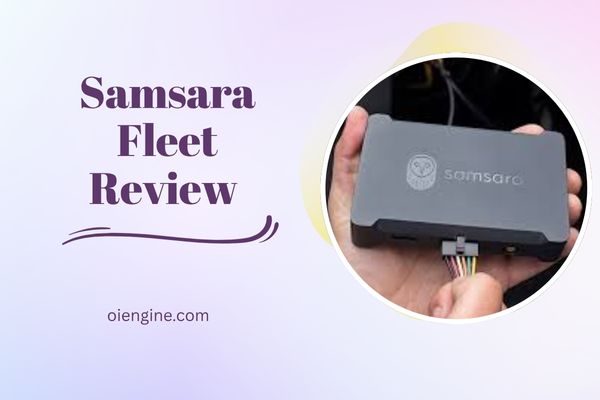
The platform combines hardware devices (vehicle gateways, dash cams, asset trackers) with sophisticated software analytics. This integration provides fleet managers with actionable insights beyond simple location tracking, including driver behavior analysis, predictive maintenance alerts, and fuel efficiency optimization.
What sets Samsara apart is its all-in-one approach. Instead of juggling multiple vendors for different needs, you get GPS tracking, ELD compliance, dash cams, and fleet tracking capabilities within a single platform.
Key Differentiators from Competitors
Samsara’s plug-and-play installation takes under 15 minutes per vehicle, eliminating the need for professional installers. The system’s zero-configuration setup means drivers can start logging hours immediately after installation.
The platform’s open API architecture enables seamless integration with existing business systems. Whether you’re using trucking bookkeeping software or dispatch systems, Samsara can share data bidirectionally to eliminate duplicate data entry.
Real-time visibility extends beyond basic GPS coordinates. The samara systems provide live traffic data, weather conditions, and route analytics that help dispatchers make informed decisions instantly. This comprehensive approach to samsara fleet telematics delivers measurable ROI within months.
Industries Best Suited for Samsara
Transportation and logistics companies benefit most from Samsara’s robust compliance features and route optimization. The platform excels at managing long-haul operations where driver hours, fuel costs, and delivery times directly impact profitability.
Construction firms leverage Samsara’s equipment monitoring capabilities to track both vehicles and heavy machinery. The unified platform eliminates the complexity of managing multiple asset types across job sites.
Field service businesses appreciate the customer-facing features like accurate ETAs and proof of service. Food and beverage companies particularly value the temperature monitoring capabilities for refrigerated transport, ensuring compliance with safety regulations.
Samsara Fleet Login: Getting Started Guide
Initial Account Setup Process
Setting up your Samsara account begins with a consultation call where specialists assess your fleet’s specific needs. After signing the contract, you’ll receive a welcome package containing login credentials and hardware devices within 3-5 business days.
The initial samsara fleet login requires creating individual user profiles for dispatchers, managers, and administrators. Each role receives customized permissions ensuring team members only access relevant features and data.
Account configuration includes setting up driver groups, vehicle assignments, and alert preferences. Most companies complete the entire setup process within 2-3 hours, though larger fleets may require additional time for complex organizational structures.
Samsara Log In Fleet Management Dashboard Overview
The dashboard presents a clean, intuitive interface displaying your entire fleet on an interactive map. Critical metrics like vehicle status, driver hours, and maintenance alerts appear in customizable widgets you can arrange based on priority.
Navigation follows a logical hierarchy with main sections for Live GPS, Safety, Compliance, and Reports clearly labeled in the left sidebar. The search functionality allows instant access to specific vehicles, drivers, or historical data without clicking through multiple menus.
Real-time notifications appear in the top corner, alerting you to urgent issues like harsh driving events or vehicle breakdowns. The dashboard’s responsive design ensures consistent functionality whether you’re using a desktop, tablet, or smartphone.
Mobile App vs Web Platform Access
| Feature | Web Platform | Mobile App |
| Live GPS Tracking | Full map view with layers | Simplified map interface |
| Report Generation | Complete access to all reports | Limited to pre-built reports |
| Driver Management | Full CRUD operations | View-only with basic messaging |
| Video Review | HD playback with timeline | Compressed video, basic playback |
| Route Planning | Advanced multi-stop optimization | Basic point-to-point routing |
The mobile app prioritizes field operations, making it ideal for drivers and on-the-go managers. Push notifications ensure immediate awareness of critical events regardless of location.
While the web platform offers comprehensive functionality, the mobile app excels at quick status checks and communication. Many successful fleets use both versions strategically, with office staff leveraging the web platform’s analytical power while field personnel rely on the mobile app’s accessibility.
Samsara Fleet Telematics: Complete Feature Analysis
Real-Time GPS Tracking Capabilities
Samsara’s GPS tracking updates every 5 seconds, providing genuinely live vehicle locations rather than periodic refreshes. This granular tracking enables precise ETAs and immediate detection of route deviations or unauthorized vehicle use.
The platform displays rich contextual data alongside location information. Traffic conditions, weather overlays, and historical route patterns help dispatchers understand not just where vehicles are, but why they’re there and what challenges drivers face.
Geofencing capabilities allow custom alerts for specific locations. Whether monitoring customer sites, restricted areas, or fuel stations, the samasra fleet system automatically logs entry/exit times and can trigger workflows like customer notifications or timesheet updates.
Driver Safety and Monitoring Tools
Samsara’s safety scoring algorithm analyzes multiple factors including speeding, harsh braking, rapid acceleration, and distracted driving. Each driver receives a daily score with specific coaching recommendations based on their performance patterns.
The AI-powered dash cams detect risky behaviors like cell phone use or drowsy driving in real-time. When incidents occur, the system automatically saves video footage from 40 seconds before and after the event, providing crucial context for coaching or exoneration.
Safety Inbox consolidates all safety-related alerts into a prioritized workflow. Fleet managers can review events, add coaching notes, and track improvement trends without switching between multiple screens or reports.
The coaching tools transform raw data into actionable insights. Instead of simply flagging speeding incidents, the system identifies patterns like specific routes or times when violations occur most frequently.
Route Optimization and ETA Management
Route planning accommodates up to 20 stops with automatic optimization based on distance, traffic, and delivery windows. The algorithm considers vehicle capacity, driver hours remaining, and customer preferences to create efficient routes.
Real-time route adjustments respond to unexpected delays or new orders. Dispatchers can add stops mid-route, and the system recalculates optimal sequencing while maintaining realistic ETAs for remaining deliveries.
Customer communication features include automated ETA updates via SMS or email. This proactive communication reduces check-in calls and improves customer satisfaction scores significantly.
Fuel Monitoring and Cost Analysis
Fuel tracking goes beyond simple MPG calculations. The system identifies specific behaviors impacting fuel consumption like excessive idling, aggressive acceleration, or suboptimal routing choices.
Integration with fuel card providers enables automatic reconciliation of purchases with vehicle locations. This prevents fuel theft and identifies unusual consumption patterns that might indicate maintenance issues.
Monthly fuel reports break down costs by vehicle, driver, and route. These insights help identify which vehicles should be replaced and which drivers need additional eco-driving training.
Maintenance Scheduling and Alerts
Predictive maintenance uses engine diagnostics and usage patterns to forecast service needs before breakdowns occur. The system tracks both mileage and engine hours, ensuring accurate intervals for mixed-use vehicles.
Fault code alerts translate cryptic engine codes into plain English explanations. When issues arise, the system suggests severity levels and recommended actions, helping prioritize repairs effectively.
Digital vehicle inspection reports (DVIR) streamline pre-trip inspections while maintaining DOT compliance. Drivers complete inspections via mobile app, with photos and notes automatically attached to vehicle records.
Comprehensive Samsara Features Overview:
| Category | Features | Business Impact |
| Tracking | 5-second GPS updates, geofencing, route replay | Improved dispatching, reduced unauthorized use |
| Safety | AI dash cams, safety scores, collision detection | Lower insurance costs, fewer accidents |
| Compliance | FMCSA-approved ELD, IFTA reporting, DVIRs | Avoid violations, streamline audits |
| Maintenance | Predictive alerts, fault codes, service history | Reduced breakdowns, extended vehicle life |
| Communication | Driver messaging, customer ETAs, in-cab WiFi | Better coordination, improved satisfaction |
Samsara Fleet Plan Cost Breakdown 2026
Base Pricing Structure ($27/month analysis)
The advertised $27 monthly rate represents Samsara’s entry-level pricing per vehicle. This base package includes core features like GPS tracking, basic reporting, and mobile app access for drivers and managers.
However, most fleets require additional features that increase the effective monthly cost. Dash cams, advanced analytics, and API access typically push real-world pricing to $40-60 per vehicle monthly.
Pricing scales with fleet size, though Samsara doesn’t publish volume discount tiers. Companies with 50+ vehicles report negotiating rates 15-25% below list price, while smaller fleets have less negotiating leverage.
Additional Costs and Hidden Fees
Driver ID tokens, essential for accurate driver-specific data, cost an extra $9.99 per driver. With typical driver-to-vehicle ratios of 1.5:1, this adds significant cost to the total investment.
Hardware replacement fees apply after the warranty period. Damaged or lost devices cost $200-400 to replace, and installation labor isn’t included in replacement scenarios.
Professional installation, while optional, runs $150-300 per vehicle through Samsara’s partner network. Many fleets discover DIY installation more challenging than expected, especially for complex vehicles or dash cam positioning.
Training and onboarding services start at $500 for basic remote sessions. Comprehensive on-site training for larger fleets can exceed $5,000, though this investment typically pays dividends in adoption rates.
Contract Terms and Commitments (3-year minimum)
The mandatory 36-month contract represents a significant commitment, especially for growing or changing fleets. Early termination fees equal the remaining contract balance, making mid-contract exits prohibitively expensive.
Contract terms auto-renew unless cancelled within the 30-day notice period. Missing this window locks you into another full term, a common frustration mentioned in samsara fleet management reviews.
Mid-contract modifications like adding vehicles or features follow prorated pricing. However, reducing vehicle counts doesn’t decrease monthly payments until the contract renewal.
ROI Calculator and Cost Justification
Most fleets report breaking even within 6-9 months through fuel savings alone. A 50-vehicle fleet averaging 2% MPG improvement saves approximately $3,000 monthly at current fuel prices.
Safety improvements deliver harder-to-quantify but substantial returns. Fleets using Samsara’s coaching tools report 40-60% reductions in safety incidents, translating to lower insurance premiums and claim costs.
Productivity gains from optimized routing and reduced deadhead miles typically add 10-15% more deliveries without adding vehicles. For service fleets, this means $50,000+ annual revenue increases per vehicle.
Cost Comparison: Samsara vs Leading Competitors
| Provider | Base Price/Month | Contract Length | Key Included Features | Notable Limitations |
| Samsara | $27+ | 36 months minimum | GPS, basic reporting, mobile apps | Dash cams extra, driver ID tokens additional |
| Azuga | $25+ | 12 months minimum | GPS, driver ID tokens included | Limited video options |
| Verizon Connect | $35+ | 24 months typical | GPS, advanced analytics | Complex pricing tiers |
| Fleetio | $5+ | Month-to-month | Maintenance focus, basic GPS | Limited real-time features |
| Geotab | $30+ | No minimum | Open platform, extensive integrations | Steeper learning curve |
Samsara Fleet Management Reviews: What Users Really Say
Positive Feedback Analysis
Users consistently praise Samsara’s intuitive interface and minimal learning curve. Even non-technical staff master basic functions within days, reducing training costs and improving adoption rates.
Safety improvements top the satisfaction list. Fleet managers report dramatic reductions in accidents after implementing dash cams and coaching programs. One transportation director noted their incident rate dropped 73% within six months.
The reliability factor earns frequent mentions in positive reviews. Unlike previous systems, users experience minimal downtime and consistent data accuracy. This reliability proves crucial for compliance-driven operations where data gaps create serious consequences.
Customer success teams receive particular recognition for implementation support. Unlike some competitors who disappear after sale completion, Samsara’s team provides ongoing optimization recommendations based on usage patterns.
Common User Complaints
The three-year contract requirement generates the most consistent criticism. Small fleets and seasonal operations find this commitment length particularly challenging when business needs change.
Customer service response times frustrate many users, especially after the honeymoon period ends. While implementation support excels, ongoing technical support can involve long wait times and multiple escalations.
Report customization limitations surprise users expecting more flexibility. The inability to export reports in Excel format (only HTML tables) complicates integration with existing business intelligence tools.
Some samsara fleet management problems stem from overselling during the sales process. Features demonstrated during sales calls sometimes require additional licenses or aren’t available in base packages.
Industry-Specific User Experiences
Long-haul trucking companies appreciate the IFTA reporting automation and multi-state compliance features. The ability to track state-line crossings and automatically calculate fuel tax obligations saves significant administrative time.
Construction firms value equipment monitoring but note limitations with non-powered assets. While vehicle tracking excels, monitoring stationary equipment requires additional hardware investments.
Food service operations praise temperature monitoring capabilities but want more customization options. Fixed alert thresholds don’t accommodate different products’ specific requirements, forcing workarounds.
Last-mile delivery services find the 20-stop route limitation restrictive. Companies with dense urban routes often exceed this limit, requiring manual route splitting that defeats optimization purposes.
User Satisfaction Summary:
✅ Pros Most Mentioned:
- Intuitive, user-friendly interface
- Significant safety improvements
- Reliable uptime and data accuracy
- Strong implementation support
- Effective fuel cost reduction
❌ Cons Most Mentioned:
- Lengthy contract commitment
- Declining support quality over time
- Limited report export options
- Hidden costs not disclosed upfront
- Route optimization stop limits
Samsara Fleet Management Problems: Known Issues & Solutions
Technical Limitations
The 20-stop route optimization ceiling creates significant challenges for delivery-intensive operations. Dense urban routes or rural territories with many stops require manual intervention, reducing efficiency gains.
Report formatting restrictions frustrate data-driven organizations. The HTML-only export format requires manual conversion for Excel analysis, adding steps to routine reporting workflows.
API access limitations surprise technically sophisticated users. Rate limits and restricted endpoints prevent full integration with custom applications or advanced automation scenarios.
Mobile app functionality gaps compared to web platform cause field operation challenges. Drivers cannot access historical data or modify certain settings without web access, complicating troubleshooting.
Customer Service Challenges
Post-implementation support quality varies significantly from initial sales experience. Users report difficulty reaching knowledgeable technicians for complex issues, often cycling through multiple representatives.
Response times for non-critical issues can extend to several days. While emergency support exists, defining “emergency” often conflicts between customer expectations and Samsara’s classifications.
The tiered support model frustrates smaller accounts. Premier support with dedicated representatives requires additional fees, leaving standard support customers feeling like second-class citizens.
Knowledge base articles often lag behind feature updates. Users discover functionality changes through trial and error rather than proactive communication or updated documentation.
Workarounds and Best Practices
For route optimization limits, successful fleets pre-cluster deliveries into 20-stop segments using ZIP codes or geographic zones. This manual preprocessing maintains some optimization benefits while working within constraints.
Report export challenges are solved using browser automation tools or API calls to extract data programmatically. While not ideal, these workarounds enable Excel-based analysis workflows.
To combat support delays, many organizations designate internal Samsara experts who document solutions and maintain tribal knowledge. This self-service approach reduces dependency on external support.
Proactive communication with account managers before renewal periods often yields better support arrangements. Threatening non-renewal motivates improved service levels and potential contract concessions.
Common Issues Resolution Guide:
| Problem | Impact | Recommended Solution |
| 20-stop route limit | Inefficient routing for dense deliveries | Pre-cluster routes by zone, use multiple routes |
| HTML-only reports | Cannot analyze in Excel | Use API or browser automation for data extraction |
| Slow support response | Operational delays | Build internal expertise, document solutions |
| Limited mobile features | Field operations hindered | Provide tablets with web access to key personnel |
| Contract inflexibility | Expensive to modify fleet size | Negotiate modification terms before signing |
Step-by-Step Implementation Guide
Pre-Installation Checklist
Before hardware arrives, create a comprehensive vehicle inventory including VIN numbers, current mileage, and existing equipment. This preparation streamlines device assignment and prevents installation delays.
Designate system administrators and define role-based permissions aligned with your organizational structure. Consider who needs access to sensitive data like driver performance or vehicle locations.
Review current workflows and identify integration points with existing systems. Whether connecting to dispatch software or project management tools, planning integrations early prevents duplicate data entry.
Communicate implementation plans to drivers early and transparently. Address privacy concerns directly and emphasize safety benefits rather than surveillance aspects to improve buy-in.
Hardware Installation Process
Vehicle gateway installation requires locating the diagnostic port, typically under the dashboard. The plug-and-play design means no wire splicing, but port locations vary significantly between vehicle makes.
Dash cam positioning proves more critical than expected. Optimal placement balances driver privacy, road visibility, and cable management while avoiding windshield obstruction violations.
Asset tracker installation for trailers or equipment requires weather-resistant mounting and clear satellite views. Magnetic mounts work for temporary placement, but permanent installations need drilling and sealing.
Testing each installation before declaring completion prevents return trips. Verify GPS signal acquisition, camera angles, and data transmission to the platform before moving to the next vehicle.
Software Configuration Steps
Initial configuration starts with defining organizational hierarchy: regions, departments, or customer segments. This structure determines reporting roll-ups and permission inheritance throughout the system.
Alert configuration requires balancing information needs with alert fatigue. Start with critical alerts only (accidents, breakdowns) then gradually add operational alerts based on team feedback.
Driver app deployment involves individual logins and training on basic functions. Focus initially on HOS logging and inspection reports, adding features gradually as comfort levels increase.
Integration setup with fuel cards, maintenance systems, or dispatch software typically requires IT involvement. Samsara provides API documentation, but implementation complexity varies based on existing systems.
Training Your Team
Effective training segments users by role rather than teaching everyone everything. Dispatchers need different skills than drivers, and executives require dashboard familiarity more than detailed functionality.
Start with hands-on sessions using real vehicles and scenarios from your operation. Generic training fails to demonstrate relevance, while company-specific examples accelerate understanding.
Create internal documentation capturing your specific workflows and policies. While Samsara provides general guides, your customized procedures ensure consistent usage across the organization.
Designate power users who receive advanced training and serve as internal resources. This train-the-trainer approach scales better than relying solely on vendor support.
Implementation Timeline Overview:
Week 1-2: Pre-installation preparation, hardware receipt Week 3-4: Vehicle installations, basic configuration
Week 5-6: Software setup, integration configuration Week 7-8: Team training, workflow refinement Week 9-12: Optimization period, advanced feature adoption
Samsara vs Top Competitors: Detailed Comparison
Samsara vs Azuga
Azuga includes driver ID tokens at no extra charge, eliminating Samsara’s $9.99 per driver fee. For fleets with high driver-to-vehicle ratios, this represents substantial savings over contract terms.
However, Samsara’s video telematics capabilities far exceed Azuga’s basic dash cam options. The AI-powered incident detection and coaching tools justify the premium for safety-focused fleets.
Azuga’s 12-month contracts provide more flexibility than Samsara’s 36-month requirement. Growing fleets or those with seasonal variations appreciate this shorter commitment.
Integration capabilities favor Samsara with its more robust API and partner ecosystem. Companies using modern trucking software find Samsara easier to connect with existing systems.
Samsara vs Verizon Connect
Verizon Connect offers more granular features for large enterprise fleets but with corresponding complexity. The learning curve stretches significantly longer than Samsara’s intuitive interface.
Both platforms provide automatic route optimization, but Samsara’s 20-stop limit falls short of Verizon’s higher thresholds. High-density delivery operations benefit from Verizon’s expanded capabilities.
Pricing transparency favors Samsara with its straightforward per-vehicle model. Verizon’s complex tier structure and feature add-ons make total cost prediction challenging during evaluation.
Network reliability might favor Verizon given their cellular infrastructure ownership. However, real-world performance differences prove negligible for most operations.
Samsara vs Fleetio
Fleetio focuses primarily on maintenance management with GPS tracking as an add-on feature. This specialization benefits maintenance-heavy fleets but lacks Samsara’s comprehensive operational features.
Month-to-month contracts and significantly lower entry pricing make Fleetio attractive for small fleets. Starting at $5 per vehicle, it enables fleet management capabilities for budget-conscious operations.
The platforms serve different primary use cases. Fleetio excels at preventive maintenance and repair tracking, while Samsara provides superior real-time operational management.
Integration approaches differ significantly. Fleetio’s maintenance focus means better connections with shop management systems, while Samsara integrates better with dispatch and customer-facing platforms.
Comprehensive Competitor Comparison Matrix:
| Feature Category | Samsara | Azuga | Verizon Connect | Fleetio |
| GPS Update Frequency | 5 seconds | 30 seconds | 10 seconds | 60 seconds |
| Contract Minimum | 36 months | 12 months | 24 months | Month-to-month |
| Dash Cam AI | Advanced | Basic | Advanced | Not included |
| Route Stop Limit | 20 | 15 | 100+ | Basic only |
| Mobile App Rating | 4.6/5 | 4.2/5 | 3.8/5 | 4.4/5 |
| API Accessibility | Moderate | Limited | Extensive | Moderate |
| Maintenance Focus | Secondary | Secondary | Secondary | Primary |
| Starting Price | $27/vehicle | $25/vehicle | $35/vehicle | $5/vehicle |
Advanced Features Most Users Miss
API Integration Possibilities
Despite limitations, Samsara’s API enables powerful automation for savvy users. Automatic work order creation from geofence triggers streamlines field service operations significantly.
Webhook notifications enable real-time integrations without constant API polling. Critical events like accidents or breakdowns can trigger immediate workflows in connected systems.
The undocumented bulk operations endpoints allow efficient data management for large fleets. While not officially supported, these endpoints handle mass updates more effectively than individual API calls.
Custom driver scorecards combining Samsara data with internal metrics provide more nuanced performance management. The API enables pulling safety scores into HR systems for comprehensive reviews.
Custom Report Building
The report builder’s advanced filtering supports complex queries beyond basic templates. Combining multiple conditions with AND/OR logic enables highly specific operational insights.
Scheduled report automation reduces manual distribution efforts. Reports can target specific recipients based on content, ensuring relevant stakeholders receive pertinent information automatically.
Cross-object reporting reveals hidden correlations between seemingly unrelated metrics. Linking fuel consumption to specific routes and drivers identifies optimization opportunities beyond obvious factors.
The CSV export workaround through scheduled emails enables Excel integration despite platform limitations. While cumbersome, this method maintains automated reporting workflows.
Safety Inbox Optimization
Batch processing similar events accelerates coaching workflows significantly. Rather than reviewing each harsh brake individually, group similar events for pattern-based coaching.
The coaching notes feature supports templated responses for common violations. This standardization ensures consistent messaging while reducing administrative time.
Event severity customization allows company-specific risk tolerance settings. What constitutes “harsh” braking varies between hazmat carriers and local delivery services.
The hidden keyboard shortcuts dramatically improve video review efficiency. Spacebar pause/play and arrow key navigation eliminate repetitive mouse movements during event investigation.
Pro Configuration Tips:
• Enable API webhook notifications for instant alerting • Use scheduled reports with email delivery for Excel workflows
• Create saved filters for common Safety Inbox queries • Implement templated coaching notes for consistency • Master keyboard shortcuts for rapid video review • Leverage bulk operations for fleet-wide updates • Build custom integrations using webhook events • Configure role-based dashboards for different user types
Is Samsara Right for Your Fleet?
Best Use Cases
Small to medium trucking companies (10-50 vehicles) find Samsara’s balance of features and usability ideal. The platform provides enterprise-grade capabilities without overwhelming complexity.
Safety-conscious operations benefit most from Samsara’s integrated approach. Companies facing rising insurance costs or frequent incidents see rapid ROI through reduced claims.
Businesses with basic integration needs appreciate Samsara’s pre-built connectors. If your tech stack includes common platforms, implementation proceeds smoothly without custom development.
Customer-facing operations leverage Samsara’s communication features effectively. Accurate ETAs and delivery confirmations improve satisfaction scores and reduce support calls.
When to Consider Alternatives
High-volume delivery operations hitting route optimization limits should evaluate alternatives. If daily routes exceed 20 stops regularly, platforms like Verizon Connect offer better optimization.
Budget-constrained small fleets might find the total cost prohibitive. Between hardware, monthly fees, and additional features, costs accumulate quickly beyond advertised rates.
Seasonal operations struggle with the three-year commitment. If your fleet size varies dramatically throughout the year, month-to-month options like Fleetio provide needed flexibility.
Technically sophisticated organizations wanting deep customization may feel constrained. Limited API access and reporting flexibility frustrate power users accustomed to complete control.
Decision Framework
Start by calculating your true total cost including all hidden fees and required add-ons. Factor in driver ID tokens, professional installation, and training to establish realistic budgets.
Evaluate contract flexibility against business stability. Can you confidently predict fleet needs three years out? If not, the contract length becomes a significant risk factor.
Assess technical requirements honestly. Will basic integrations suffice, or do you need extensive API access? This determination significantly impacts platform selection.
Consider support needs throughout the relationship lifecycle. If ongoing technical support proves critical, investigate premier support costs and availability before committing.
Fleet Profile Decision Guide:
→ Choose Samsara if you have:
- 10-50 vehicles requiring comprehensive management
- Safety improvement as a primary goal
- Standard integration requirements
- Stable fleet size over 3+ years
- Budget for $40-60/vehicle monthly
→ Look elsewhere if you have:
- Routes exceeding 20 stops regularly
- Seasonal fleet size variations
- Complex technical integration needs
- Budget under $30/vehicle monthly
- Contract flexibility requirements
Frequently Asked Questions
How do I access Samsara fleet login?
Access samsara log in fleet management through app.samsara.com using credentials provided during onboarding. First-time users receive emails with temporary passwords requiring immediate change.
The mobile app login uses identical credentials but requires initial web platform activation. Download “Samsara Fleet” from app stores, not the separate driver application.
For forgotten passwords, the self-service reset requires access to your registered email. IT administrators can also reset passwords through the admin panel for faster resolution.
Multi-factor authentication adds security but isn’t mandatory by default. Enable MFA through account settings to protect sensitive fleet data from unauthorized access.
What’s included in Samsara’s telematics package?
Base samsara fleet telematics includes real-time GPS tracking, basic driver behavior monitoring, and standard reports. The vehicle gateway collects location, speed, and engine diagnostic data continuously.
Advanced telematics features like video integration, temperature monitoring, and auxiliary equipment tracking require additional hardware and licensing. These capabilities integrate seamlessly once activated.
The platform processes over 1 trillion data points annually across customer fleets, according to Gartner’s fleet management analysis. This scale enables predictive analytics and benchmarking features.
In-cab WiFi hotspot functionality provides 500MB monthly data per vehicle. This connectivity supports driver apps and enables over-the-air updates without cellular charges.
Can I negotiate Samsara fleet plan costs?
Pricing negotiation possibilities increase with fleet size and contract length. Fleets exceeding 50 vehicles routinely secure 15-25% discounts from published rates.
End-of-quarter timing provides maximum leverage as sales teams push for closed deals. Mentioning competitive quotes from Azuga or Geotab also motivates pricing flexibility.
Bundle negotiations yield better results than line-item haggling. Request inclusive pricing covering hardware, features, and support rather than negotiating each component separately.
Payment terms offer another negotiation avenue. Annual prepayment sometimes unlocks additional discounts, though this increases financial risk given the long contract terms.
How accurate is Samsara’s GPS tracking?
GPS accuracy typically falls within 6-10 feet under optimal conditions. Urban environments with tall buildings may experience reduced accuracy due to signal reflection.
The 5-second update frequency provides near real-time positioning unlike competitors updating every 30-60 seconds. This granularity proves crucial for time-sensitive operations or incident reconstruction.
Indoor parking garages and tunnels create temporary tracking gaps. The system estimates positions during signal loss then reconciles actual routes once GPS reception resumes.
Weather conditions minimally impact modern GPS accuracy. However, extreme storms might cause brief communication delays between vehicles and servers, creating temporary data gaps.
What happens if I need to break the 3-year contract?
Early termination triggers immediate payment of all remaining monthly fees. A fleet canceling after 18 months owes the full remaining 18 months regardless of circumstances.
No partial refunds or prorated adjustments apply regardless of termination reasons. Business closures, fleet sales, or size reductions don’t warrant contract exceptions.
Some users report negotiating exit terms during dire circumstances, but these remain exceptional cases. Standard contracts offer no escape clauses or hardship provisions.
The only viable early exit involves finding another company to assume your contract. This transfer requires Samsara’s approval and typically involves the assuming party upgrading services.
Conclusion
Samsara fleet management delivers a comprehensive platform that genuinely transforms fleet operations through integrated GPS tracking, safety management, and operational analytics. The combination of user-friendly interfaces, reliable technology, and measurable ROI makes it a strong choice for many fleet types.
The platform excels at balancing powerful features with accessibility, enabling non-technical users to harness advanced telematics without extensive training. Real customers report fuel savings of 10-15%, safety incident reductions exceeding 60%, and productivity gains that justify the investment within months.
However, the mandatory three-year contract and true costs reaching $40-60 per vehicle monthly require careful consideration. Samsara fleet management problems like route optimization limits and customer service inconsistencies may frustrate some operations. The platform serves safety-focused fleets with stable vehicle counts better than high-volume delivery operations or seasonal businesses.
Success with Samsara depends on honest assessment of your needs, thorough cost analysis including hidden fees, and commitment to utilizing the platform’s full capabilities. For fleets meeting the ideal profile, Samsara provides industry-leading tools that drive measurable improvements across safety, efficiency, and profitability metrics.
Ready to transform your fleet operations? Start your free month-long trial to experience Samsara’s capabilities firsthand, or request a customized quote with volume pricing for your specific fleet size.